
01M5 structure
See confirmed liquidity
The EA maps internal and external buy-side and sell-side liquidity only after structure is confirmed.
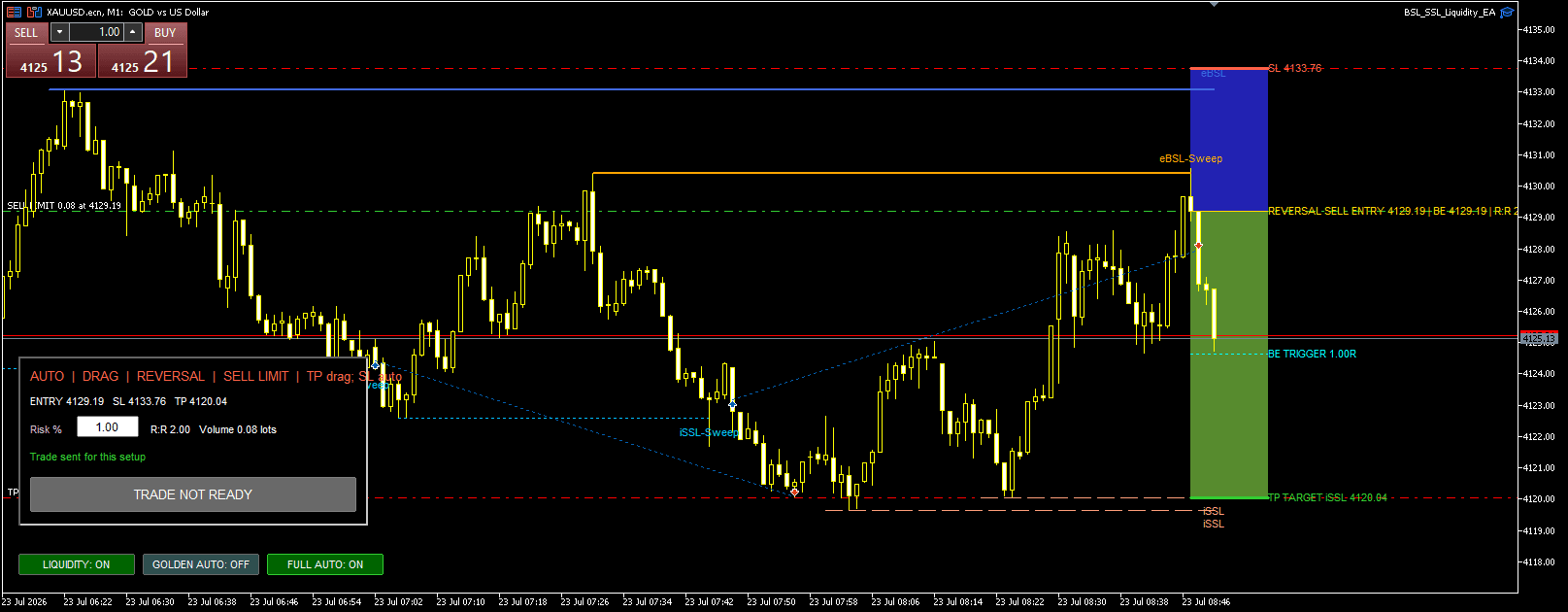
Golden Liquidity · MetaTrader 5 EA
Golden Liquidity maps confirmed M5 structure, classifies completed interactions, and turns qualified areas into visible M1 trade plans. The chart itself becomes the training.
The chart is the training
Use the EA, observe what qualifies, and connect its systematic decisions to live chart behavior. Learning happens inside the workflow itself.
The EA maps internal and external buy-side and sell-side liquidity only after structure is confirmed.
Watch each mapped level develop, then see whether the completed interaction qualifies as a sweep or a run.
Qualified setups become clear entry, stop, target, and risk-to-reward geometry on the execution chart.
Confirm trades manually, automate every qualified setup, or restrict automation to Golden Reversals.
Systematic assistance
Golden Liquidity maintains its interpretation of confirmed M5 structure as price develops. You can see the map, follow each interaction, and decide how much execution control to retain.
Tracks internal and external BSL and SSL from M5 structure.
Distinguishes reclaiming sweeps from accepting liquidity runs.
Uses native M5 RSI divergence and opposite-colour M1 confirmation.
Validates order geometry, volume, margin, and broker constraints.
Execution control
Every mode uses the same structure and preflight checks. Automatic modes always start off when the EA loads.
| Mode | What it submits | When to use it | Start state |
|---|---|---|---|
| Manual | Only the setup you confirm | Study the map and retain final control | Available |
| Full Auto | Every qualified setup | Automate the complete systematic workflow | Off |
| Golden Auto | Golden Reversals only | Automate the more selective reversal class | Off |
One-time MT5 license
Includes the compiled EA, customer downloads, activation reset, and twelve months of product updates.
Straight answers
The EA is the practical learning environment. You build familiarity by working with its mapped liquidity and completed price interactions directly on MT5 charts, without a separate course or progress system.
No. Golden Liquidity is an analysis and execution tool. Results depend on market conditions, broker execution, settings, and user decisions.
No. Full Auto and Golden Auto are off whenever the EA starts. Enabling one automatically disables the other.
Yes. Test the release and your chosen settings in MT5 Strategy Tester and on a demo account before using live funds.